What to Do With a Loved One's Photos
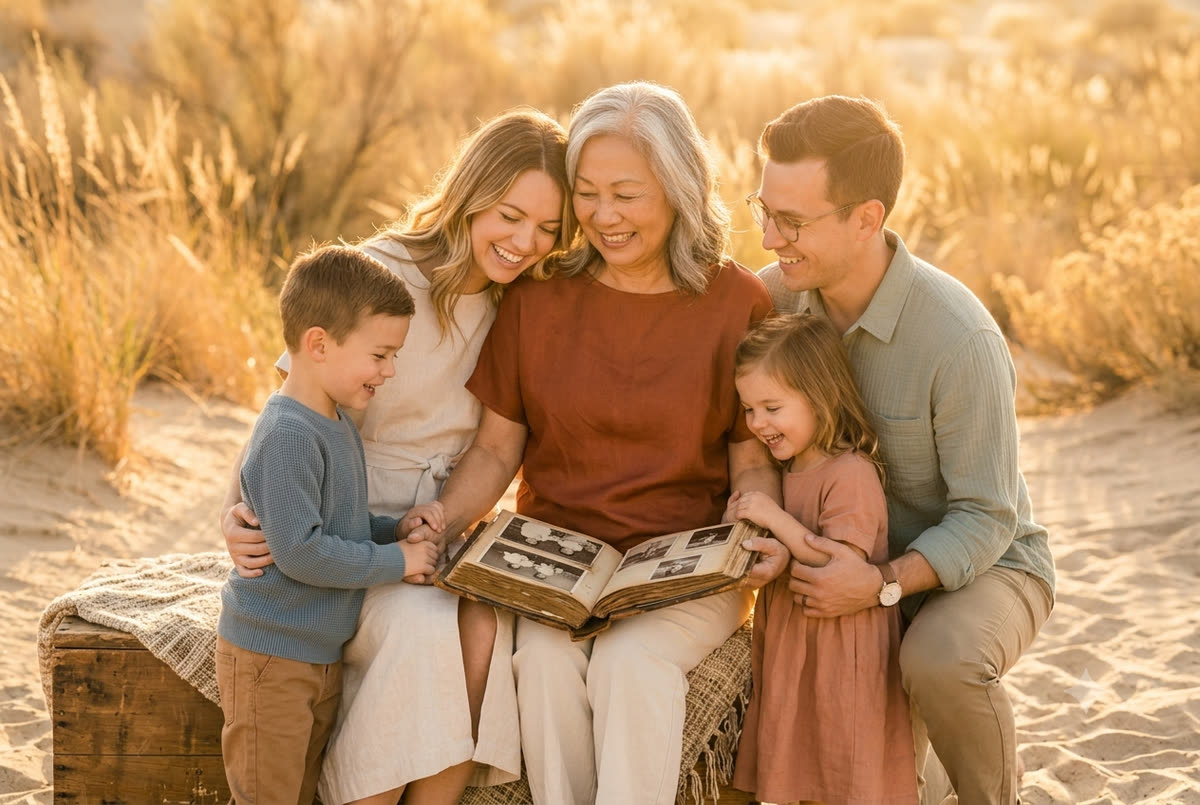
Almost everyone I meet inherits two things they didn't ask for: a box of photographs, and the quiet question of what on earth to do with it. Sometimes it's a literal box — shoeboxes, an old chocolate tin, a few warped albums. Sometimes it's a closet shelf, or a laptop you don't have the password to, or a phone whose screen still lights up with a face you miss. If you've found this page, you're probably holding some version of that question right now, maybe in the middle of clearing out a parent's condo in Palm Desert with a deadline from the estate sale company looming. I want to slow that moment down for you.
There is no rush. Photographs are one of the few things in an estate that almost never need a fast decision, and yet they're the thing people most often panic about and, sadly, the thing most often thrown out by accident. So let's take it gently and in order — what to keep, how to protect it, how to sort it when you're ready, and the handful of ways to turn a pile of pictures into something the rest of your family will actually treasure rather than re-inherit someday with the same dread.
First, the one rule that matters most
If you do nothing else today, do this: don't throw any of it away yet, and get everything into one safe place.
When a household is being broken up, photographs are uniquely vulnerable. They get swept into "trash" piles during a fast cleanout. They get water-damaged in a garage. A box gets left behind for the new owners, or split between three siblings who each take a handful and lose track of the rest. I've had families come to me a year after a loss heartbroken because the only photo of their grandmother as a young woman went out with the donation run.
So before any sorting, any decisions, any of the harder emotional work:
- Gather every physical photo, album, slide carousel, and negative into one or two clearly labeled bins.
- Collect the devices too — phones, tablets, laptops, old cameras, SD cards, USB sticks, even those little memory cards from a digital frame.
- Put it somewhere climate-stable. In the desert this matters more than most people realize. A hot garage in Indio or La Quinta in July will cook a photograph — heat and humidity swings make prints curl, stick together, and fade. An interior closet is far better than the garage or a storage unit that isn't climate-controlled.
That's it for day one. You've now bought yourself unlimited time to do the rest thoughtfully.
Get into the phones and accounts before access slips away
This is the piece that's easy to miss and genuinely time-sensitive, so I'm putting it early.
So much of a person's recent life now lives behind a passcode. If your loved one had a smartphone, that phone is probably their single largest photo collection — years of grandchildren, holidays, ordinary Tuesdays. The trouble is that locked phones and cloud accounts can become very hard, sometimes impossible, to open once too much time passes or a billing card lapses.
A few practical steps while you can:
- Find any passcodes the family knows, and write them down somewhere safe. If the phone is still unlocked or you know the code, change the settings so it doesn't auto-lock, and keep it charged.
- Look for cloud backups — iCloud, Google Photos, Amazon Photos, Dropbox. These often hold even more than the device. The account email and password are the keys to the kingdom.
- Don't let accounts auto-close. Email and cloud accounts can be deactivated for inactivity, and a credit card on file that stops working can trigger deletion of paid cloud storage. Keep the essentials alive until you've pulled everything down.
- Both Apple and Google offer formal processes to request a deceased person's data when you can't get in the normal way; it takes paperwork and patience, but it exists. Apple has a "Legacy Contact" feature your other family members should set up on their own phones now, having just learned how much it matters.
- When you do get in, copy everything off to a computer and a separate backup drive. Don't leave the only copy on a phone you'll eventually shut off.
If this feels technical, ask the most patient grandchild in the family. This is exactly the kind of task a teenager can quietly knock out in an afternoon.
You don't have to sort it now — and you may not be ready to
I want to give you explicit permission to wait.
In the early weeks of grief, sitting down with a stack of photographs can be too much. Every image is a small ambush. There is no prize for sorting Mom's pictures the same month you lost her, and a lot of regret comes from decisions made while raw — the photo torn in half because of who else was in it, the album given away too fast.
So if you're newly bereaved: secure everything as above, then close the closet door and let it be. Three months from now, six months, a year — the photos will keep. Many people find that going through them eventually becomes one of the gentler parts of grieving, a way to spend a slow afternoon with someone. But that's only true when you come to it ready, ideally with a sibling, a pot of coffee, and no clock running. How photography helps with grief goes deeper into why these images can comfort rather than wound, once enough time has passed.
When you're ready: how to actually sort a lifetime of photos
A whole life's worth of pictures is genuinely daunting, so don't try to "finish" it. Sort in passes, each one small.
Pass one: rescue and rough piles
Go through quickly, not carefully, and make loose piles:
- Keep — anything with a face, a place, or a moment that matters.
- Maybe — duplicates, blurry shots, scenery you can't place. Don't decide yet; just set aside.
- Easy let-go — clearly nobody's interested: the eleventh photo of the same sunset, processing envelopes, blank backs. Even here, glance before you toss.
Resist the urge to evaluate each photo's worth on this pass. You're just separating the obvious treasures from the obvious filler.
Pass two: identify while you still can
This is the most important and most perishable task of all. Names and stories disappear faster than the photos do. The aunt who could identify every cousin in the 1958 reunion shot is often the same generation you've just lost.
- Gather whoever's left who might know — the surviving sibling, the family friend, the oldest cousin. In a snowbird family this often means waiting until winter when everyone's back in the valley, and that's worth waiting for.
- Write lightly in pencil on the back, or better, lay photos out and photograph them with your phone while a relative narrates who's who. Audio works beautifully — record the story as they tell it.
- A scanned photo with no name is a mystery in fifty years. A scanned photo with a name and a one-line story is an heirloom. I wrote more about this in preserving the story behind each photo, because the caption is honestly the part that lasts.
Pass three: thin the duplicates
Now go back to the "maybe" pile. You'll find ten near-identical shots of the same Christmas morning; keep the best one or two. A collection you can actually look through is worth more than a complete archive nobody opens. Be a little ruthless here — your future self, and your kids, will thank you.
Protect the originals: digitize everything
Once you've sorted, your single best move is to scan the keepers. Digitizing does two things at once: it protects against the very real desert threats of heat, fire, and flood, and it lets you share copies with the whole family instead of fighting over who keeps the one physical print.
You have a few good routes:
- Do it yourself with a flatbed scanner or a phone scanning app. Slow but free, and fine for a few hundred photos. Scan at a high resolution so you can enlarge later.
- Use a mail-in or local service. Companies will scan whole boxes, slides, and even old home movies and 8mm film. There are also photo and camera shops around the valley and in the greater Palm Springs area that handle scanning locally if you'd rather not mail irreplaceable originals.
- For the truly precious or fragile pieces — a tintype, a torn wedding portrait, a curling 1940s print — have those copied or restored properly rather than risking a home scanner.
I've written a fuller walkthrough in digitizing old family photographs, including how to handle slides and negatives, which trip a lot of people up. And once everything's digital, please make more than one copy: one on your computer, one on an external drive, and one in the cloud. The desert gives us fires and the occasional flash flood; a single hard drive in one house is not a safe home for the only copy of your family's history. How to preserve family memories covers the backup routine in plain language.
Now the good part: what to actually do with them
Securing and scanning is preservation. But photographs aren't meant to live in a bin or a folder — they're meant to be seen. This is where the question turns from a burden into something genuinely lovely. Here are the ways families I work with bring these images back into daily life.
Make a real album
A printed photo book is, to my mind, the single best destination for an inherited collection. It turns a chaotic box into a story with a beginning and an end — something a grandchild will actually pull off the shelf. You can build one chronologically (a life from childhood to old age), or thematically (all the holidays, all the houses they lived in, every dog they ever loved). I walk through this in creating an heirloom album from old photos. Order a copy for each sibling so no one's left fighting over originals.
Choose a few for the wall
Most of a collection lives in a book, but a handful deserve to be seen every day. Pick three or four images that capture who the person truly was — not the stiff studio portrait, but the one where your father is laughing with his head back, or your mother is mid-story at her own kitchen table in Rancho Mirage. Have those printed well and framed. A wall of well-chosen family portraits becomes a quiet daily hello rather than something tucked away. (If you're weighing the difference between keeping files versus making prints, digital files vs heirloom prints lays out how I think about it.)
Pick the portrait for the service — or the anniversary
If you're in the thick of planning a memorial, you may be searching for the one photo to stand at the front of the room or print in the program. That deserves its own care, and I've written specifically about choosing a portrait for a memorial service — how to pick an image that looks like the person people actually knew, not just the most flattering one.
Give photos a second life as gifts
Inherited pictures make some of the most meaningful presents you'll ever give:
- A small framed print of a grandparent for each grandchild.
- A recipe card paired with a photo of the kitchen it came from — combining letters and photos into a keepsake is a beautiful way to use the handwriting and the face together.
- A digital frame loaded for an elderly relative, cycling through faces they'll recognize.
- A simple shared online album so cousins across the country — or back north for the summer — can all add their own copies and memories.
Don't keep the only copies to yourself
A surprising amount of family friction after a loss is really about photographs — who got the albums, who has the "good" ones. Digitizing dissolves almost all of it. When everyone can have every picture, the originals stop being something to guard. Share generously. It's also how the collection survives: the more homes a photo lives in, the harder it is to ever lose.
A few mistakes I'd gently steer you around
- Tossing in haste during a cleanout. The single most common regret. Slow down, secure first.
- Storing in the heat. Garages, sheds, and non-climate-controlled units are where desert photographs go to die.
- Letting accounts and phones lock you out. Handle the digital access early, while it's still possible.
- Trying to do it all in one weekend. This is a project measured in unhurried afternoons, not a single marathon.
- Keeping everything and nothing useful. A scanned, captioned, edited collection beats a complete-but-impenetrable box every time.
- Forgetting the people who can still name faces. That knowledge is the most perishable thing in the whole box.
And a thought for the photos you don't have yet
Going through a parent's pictures, almost everyone notices the same painful gap: there are a thousand snapshots, and not one image that really holds them. The candids are precious, but there's often no true portrait — nothing made on purpose, with care, that looks the way the family remembers them.
I mention this not to sell you anything in a tender moment, but because it's the most common thing people tell me they wish they'd done. If you still have elders here — a mother in Indian Wells, a father you'll see at Thanksgiving — the kindest gift to your future self is to make that portrait now, while it can still be done from life. I make most of these right where the person is most at ease: in their own living room with soft window light, or out in a garden or shaded local park in the late-afternoon glow — not posed and stiff, just them. The families I sit with for legacy and tribute portraits almost never say they did it too early.
You're not behind, and you're not alone
If you take one thing from all this: there's no deadline on a box of photographs, only on losing them. Secure everything, rescue the digital, let yourself wait until you're ready, and then turn the collection into an album, a wall, and a handful of gifts that keep your person present in the everyday. That's the whole job, and you can do it a little at a time.
If you'd like help with any part of it — scanning and restoring fragile originals, building an heirloom album from a chaotic box, choosing and printing the portrait for a service, or making a portrait of someone you still have — I'd be glad to help. Send me a note and we'll start with whichever piece is weighing on you most.